Interfacing

Introducing the next generation of Interfacing IMS

One platform.
Multiple Programs.
Better outcomes.

Connect the way your organization works, from processes and documentation to quality, risk, compliance and continuous improvement, in one intelligent management system.

AI-powered insights · Connected governance · Designed for everyday work

Watch the IMS overview · Open on Vimeo ↗

Book Your Upgrade in Support Portal Starting November 9

Connected by design

Documentation, quality, automation, mining and AI. Together.

Our Integrated Management System (IMS) brings knowledge, operational workflows and insights into a connected environment. Its capabilities expand in phases, so you can see what each release brings to your teams.

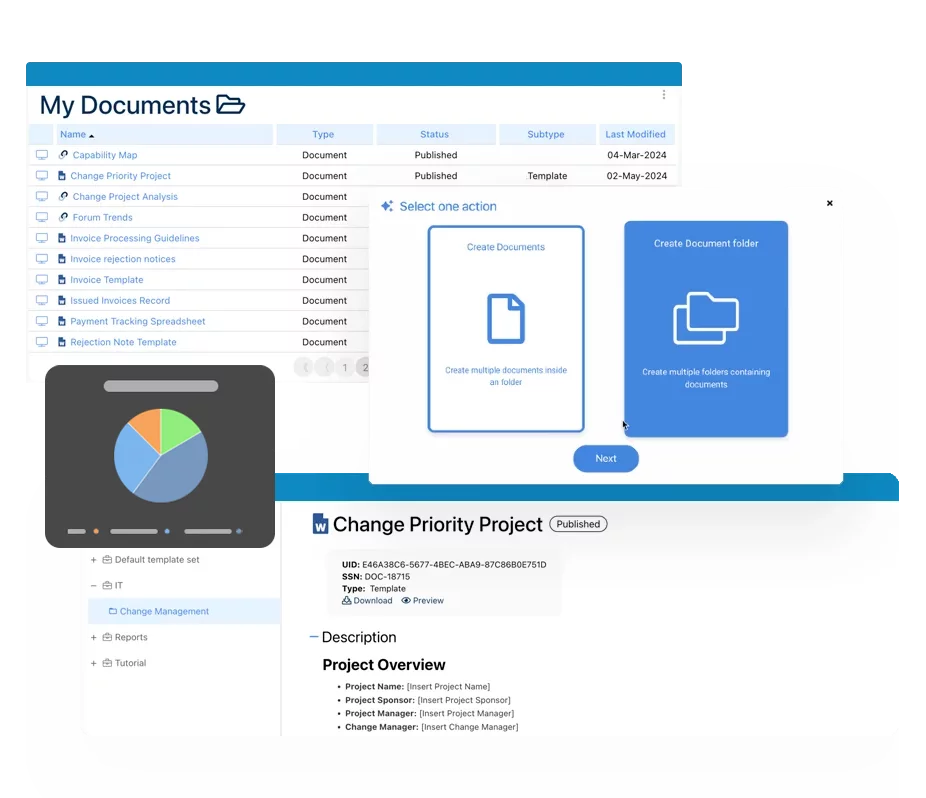
Process Management

Map, govern, analyze and improve the way work gets done.

Document & SOP Control

Manage controlled content, versions, reviews and approvals.

Quality Management

Connect CAPA, audits, incidents, training and quality events.

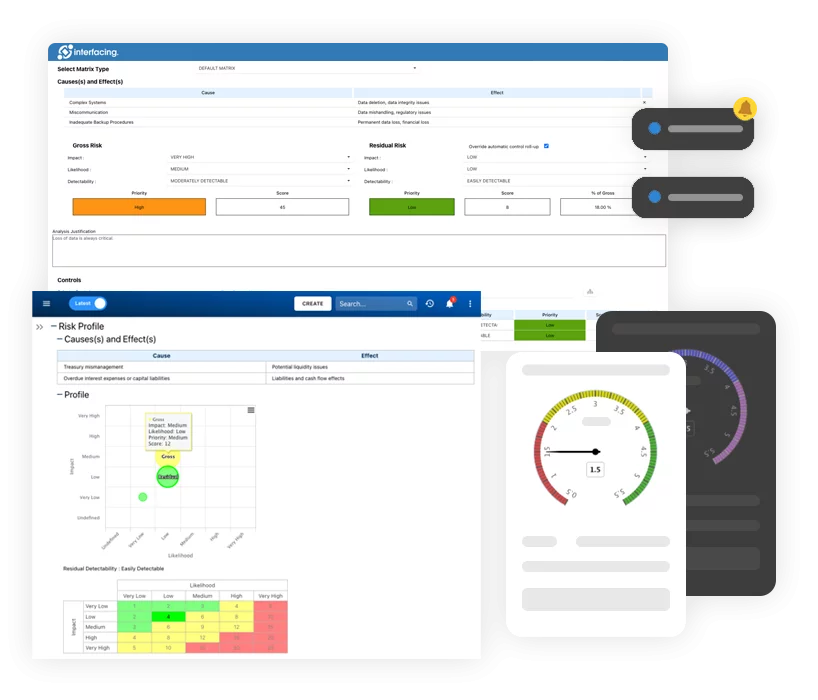
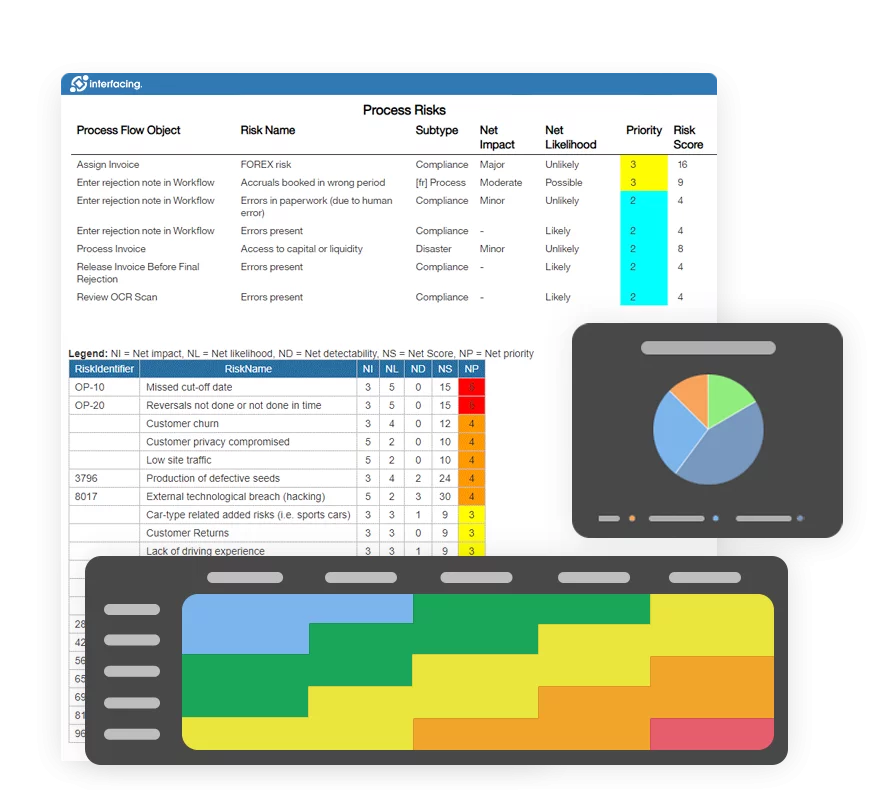
Risk Management

Identify, assess and mitigate risks across your organization.

Process Mining

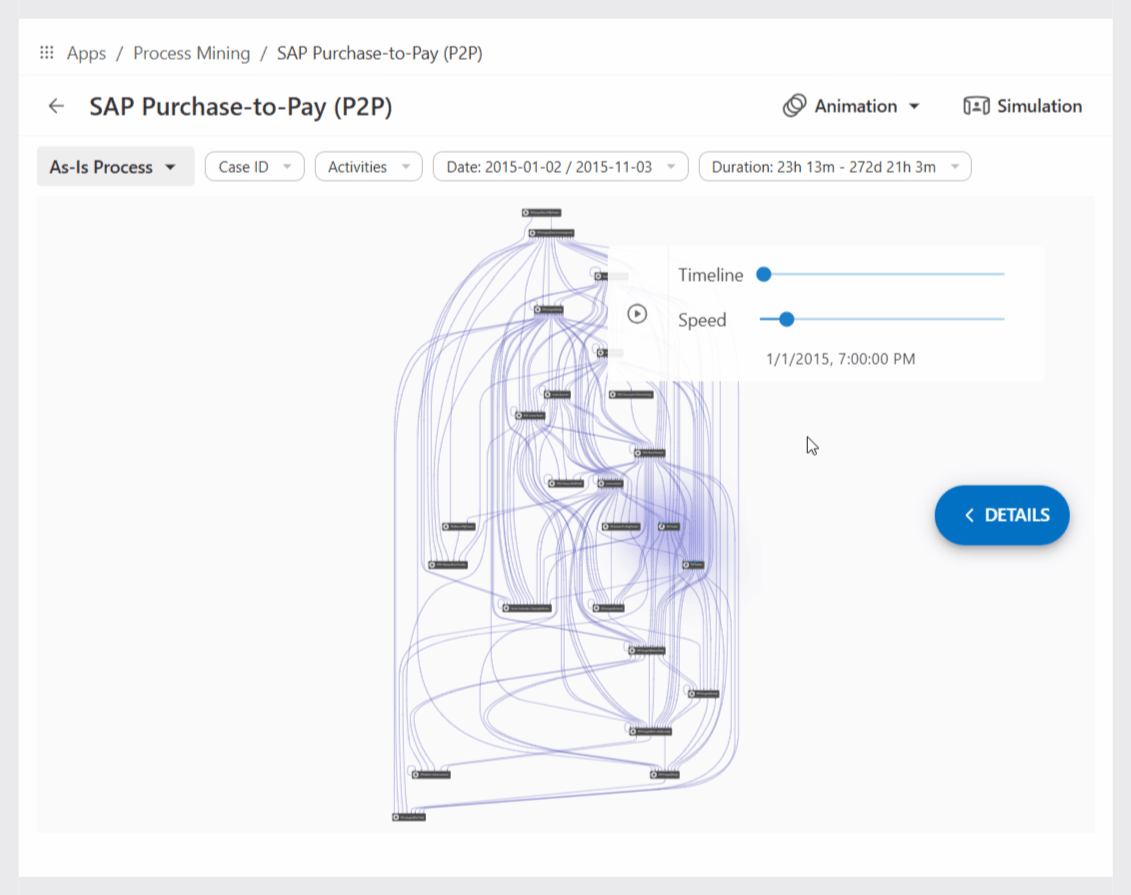
Analyze event logs to uncover bottlenecks and process variations.

Workflow Automation & Apps

Design and execute custom business workflows and tasks in one workplace.

Enterprise Architecture

Connect capabilities, structures and strategy to execution.

Audit

Plan, execute and track audits across all areas, ensuring compliance, traceability and continuous improvement.

INTELLIGENCE ACROSS YOUR IMS

AI Agents

AI-powered

Automate tasks, accelerate insights and help you work smarter across your entire integrated management system, including process, documents, quality, risk, audit and more.

Your phased transition to IMS

What’s available now. What comes next.

Follow the phased rollout from the everyday workspace to expanded creation and governance, then end-to-end automation. Select a release to review its detailed capabilities.

16.0Released

A new, connected experience

Modernize everyday work with one intuitive destination for organizational knowledge, tasks and insights.

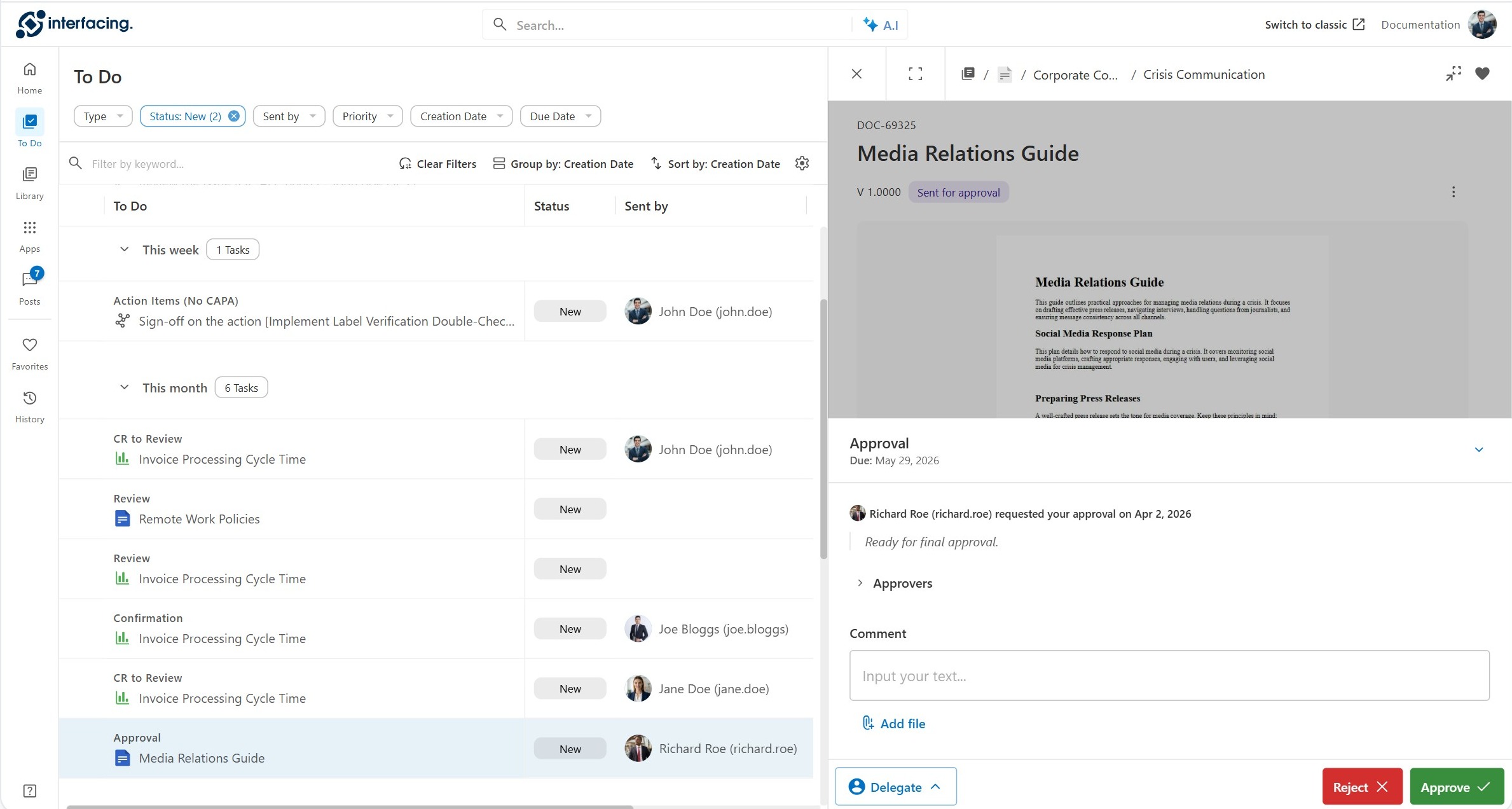
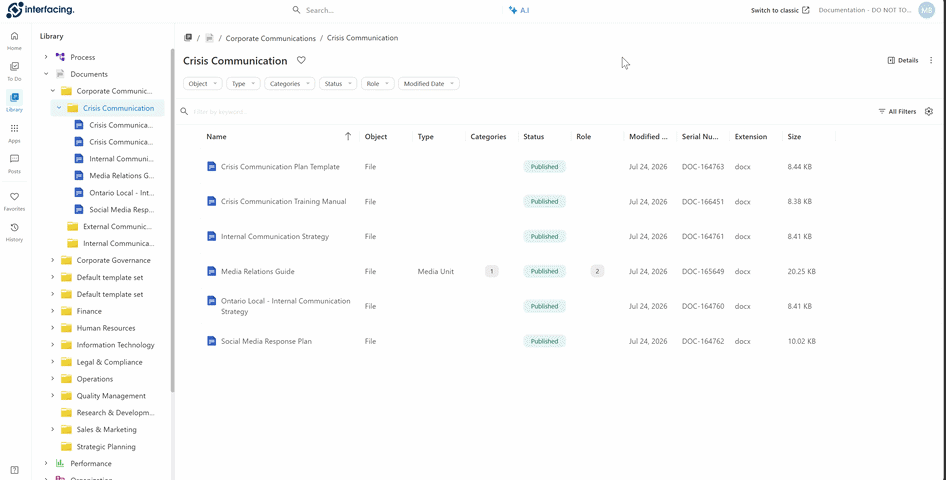
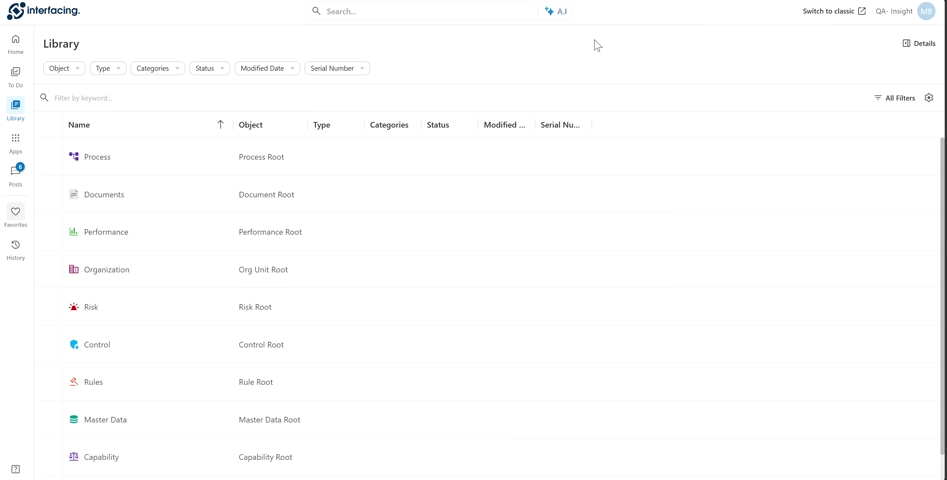
  • Home, Library, To Do, Posts and Favorites in one workspace
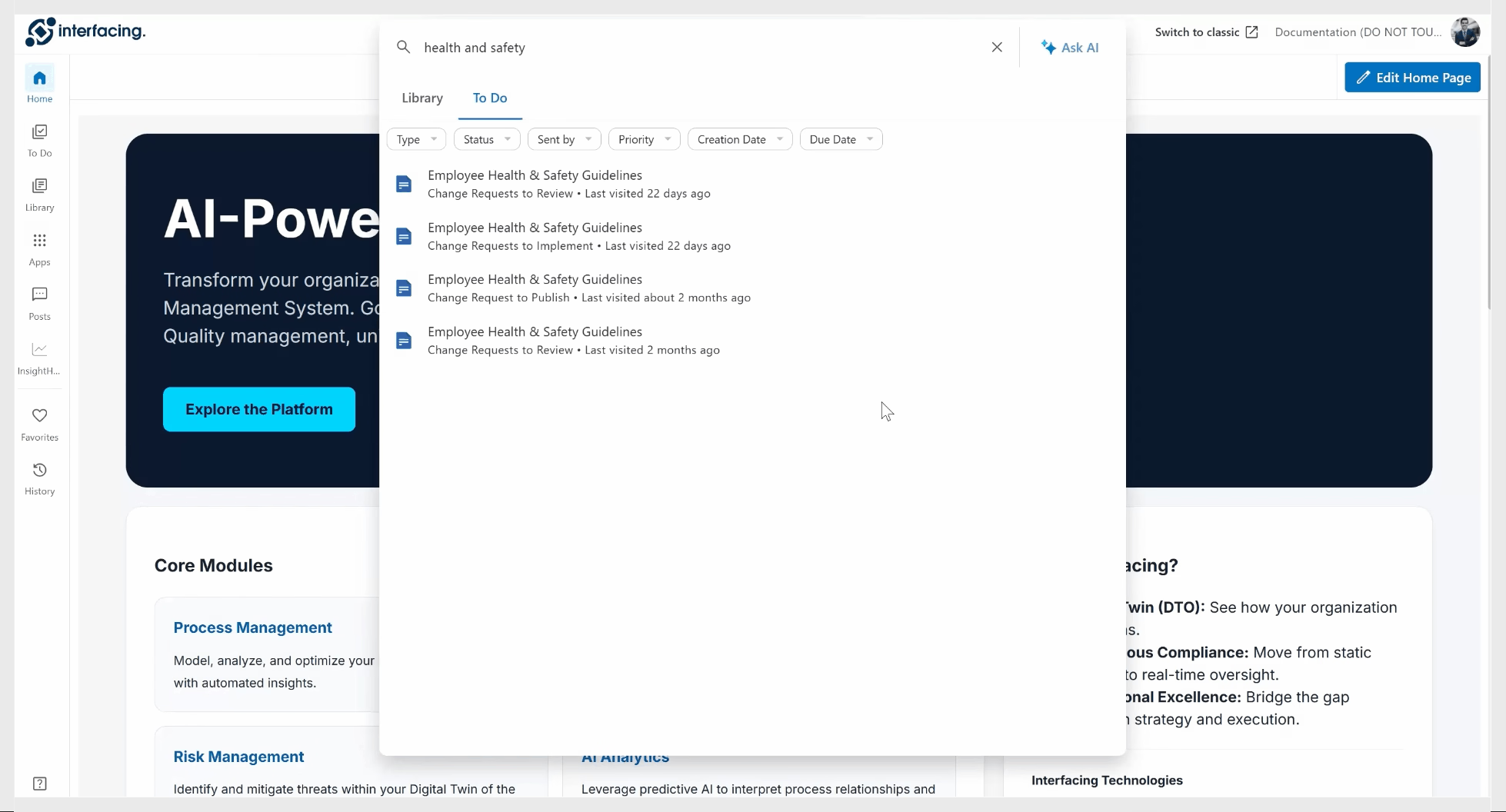
  • AI Assistant, search and documentation previews
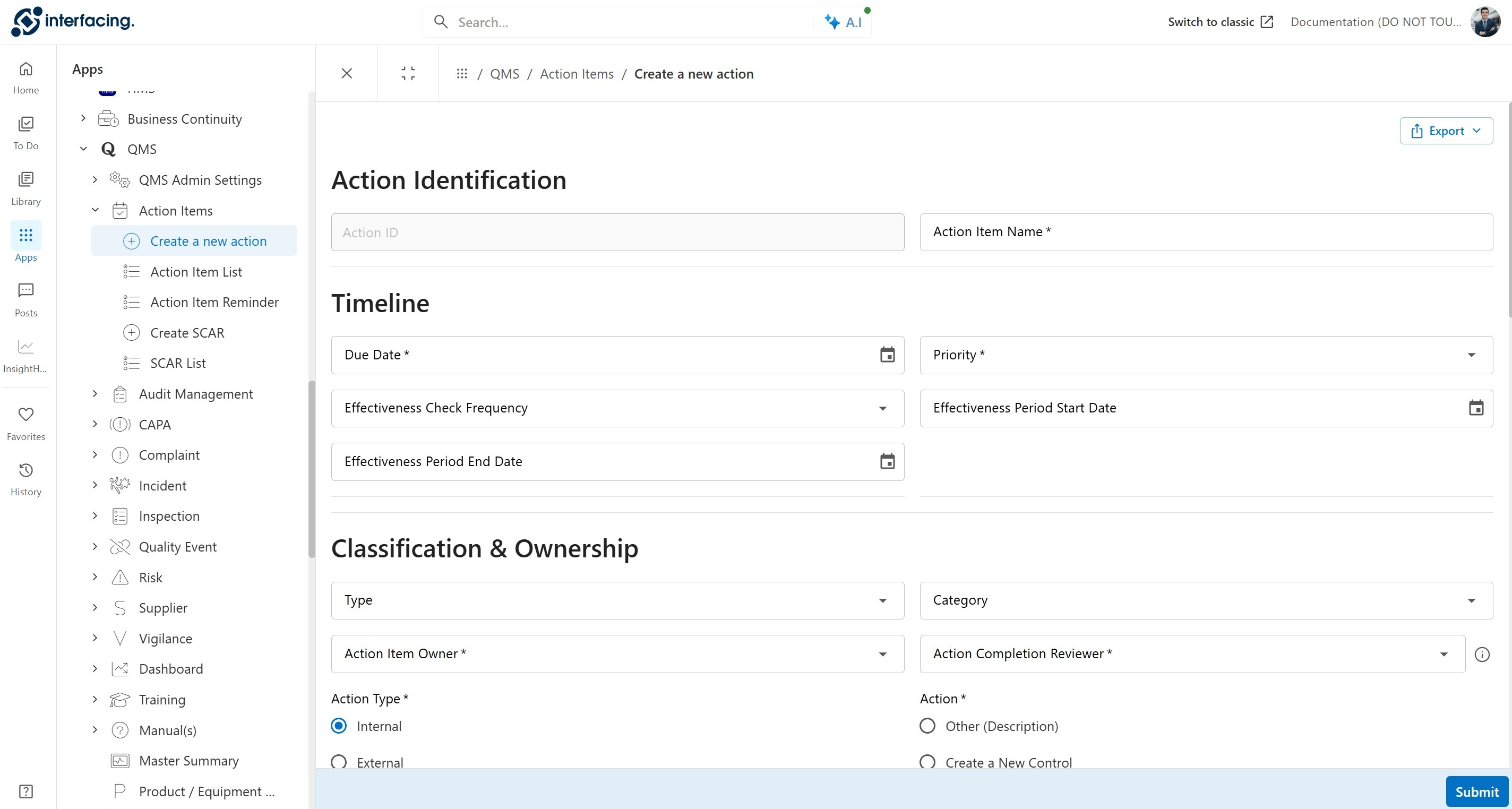
  • Access to QMS apps, custom apps and Process Mining
  • Switch between IMS and classic EPC during transition
Explore 16.0 capabilities ↘
16.1Beta

Create, govern & improve

Bring content creation, process design, lifecycle governance and more intelligent improvement into the new experience.

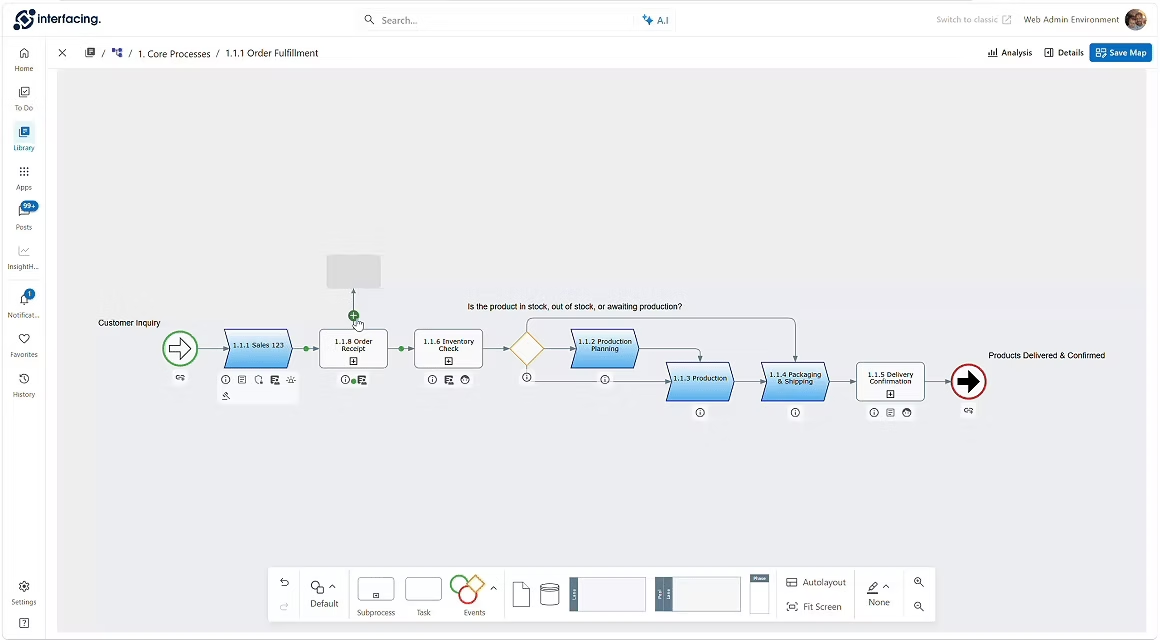
  • Object creation, inline editing and process mapping
  • Review, approval, endorsement and attestation setup
  • Process analysis, simulation and contextual comments
  • AI-assisted content creation and QMS app enhancements
Explore 16.1 capabilities ↘
16.2Q1 2027 · Planned

Complete the transformation

Close the remaining gaps with a new end-to-end integrated automation designer, scalable governance and a fully unified IMS interface.

  • Integrated automation designer for forms, processes and rules
  • Bulk editing and lifecycle setup
  • Documentation security, audit trail and import/export
  • Planned retirement of the classic EPC interface
Explore 16.2 capabilities ↘

16.0 is available now; 16.1 is labeled beta and 16.2 is targeted for Q1 2027. Future scope and timing may change. Read the full release notes ↗

Your everyday IMS experience

Explore the platform, one view at a time.

Select a feature to explore the IMS experience. Check the milestones for release-specific availability.

Home

Your work, organized

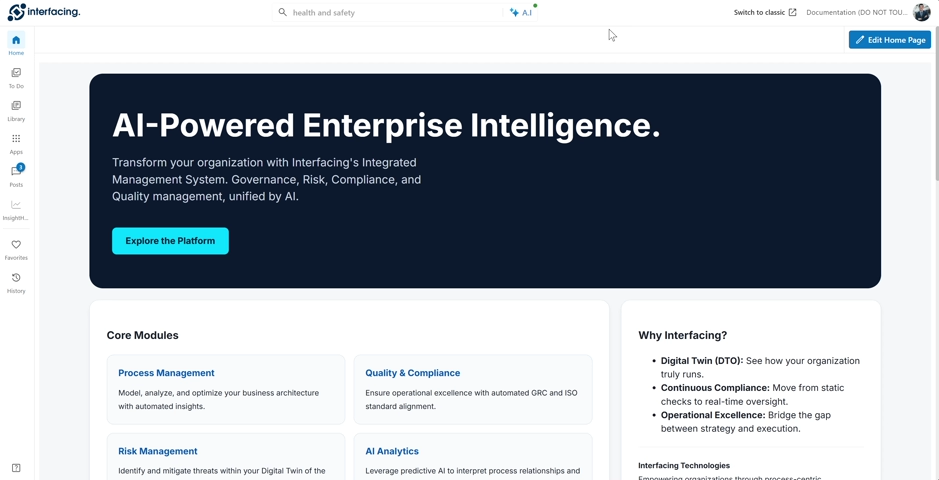
A personalized home page surfaces the information, activity and shortcuts that matter most to each user.
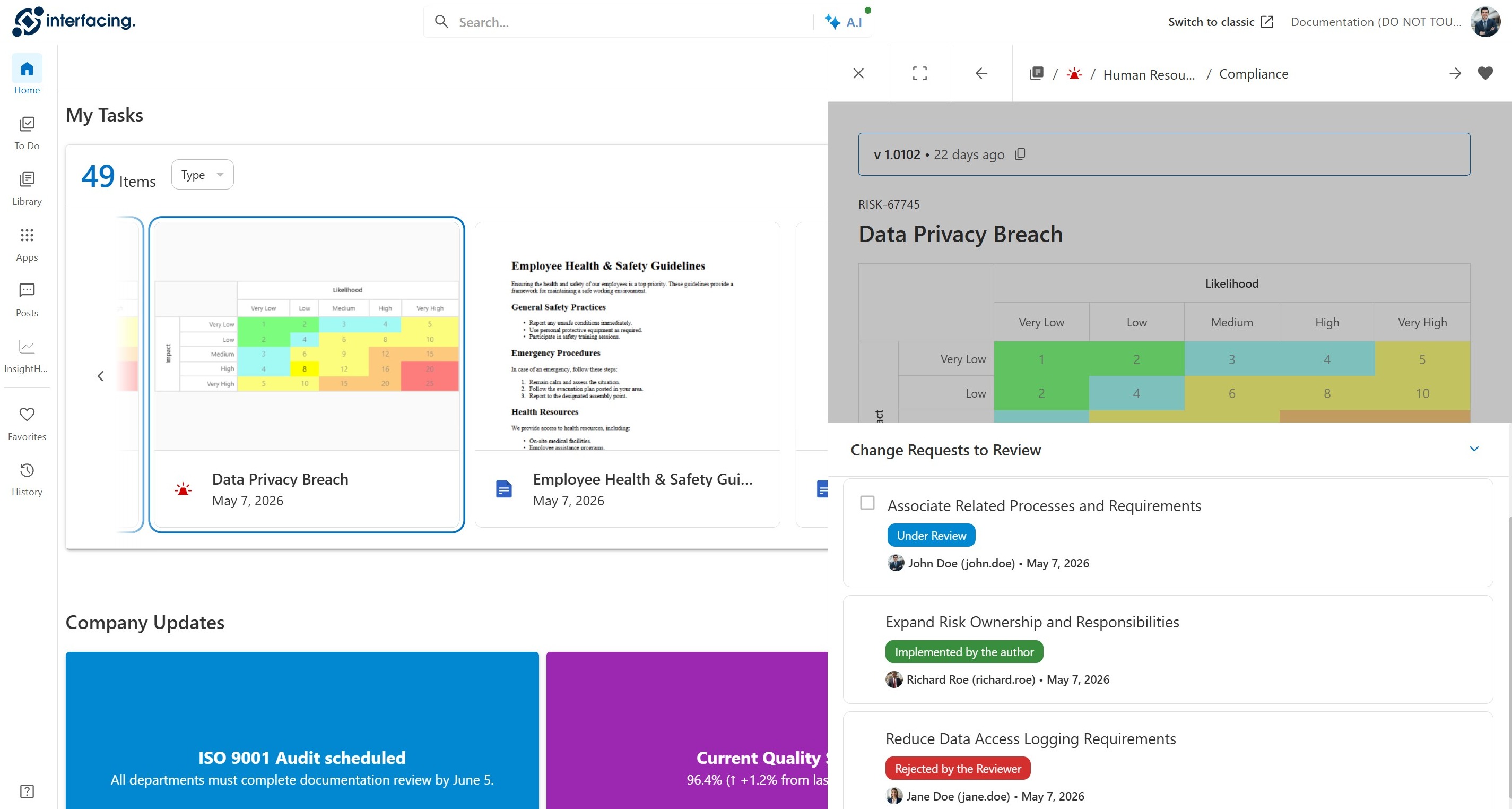
IMS personalized Home workspace

Select the image to open a larger view.

Navigate · Explore · Execute

Take a clickable tour of the new Home page.

Click through the new IMS Home page to explore its layout, navigation and everyday workspace.

Release-by-release detail

Explore what’s included in each milestone

A closer look at the platform capabilities behind the release journey.

16.0 · A new, connected experience

Modernize everyday work with one intuitive destination for knowledge, tasks and insights.

Released

Home

  • Admin-published landing page, consistent for every user
  • Filters reset to admin defaults on next login
  • Widgets: banners, cards, tiles, HTML, website
  • Dedicated My Documentation and My Task widgets
  • Mixes DBP and repository content
  • Documentation widget can ship pre-filtered

Library

  • All documentation types carried over from the classic UI
  • New library level to filter across modules
  • Pinnable columns and custom-attribute filters
  • Auto-saved preferences with reset to admin default

Object detail

  • Merged preview and detail view
  • Navigation breadcrumb and quick access to sub-items
  • Sticky table of contents with anchoring
  • Version navigation with history timeline
  • Persona-based views: analyst, end user, auditor

Quick actions

  • Open in new tab
  • Raise a change request
  • Download, including object book
  • Create a post
  • Open To Do, Post or Analysis panels
  • Share links to current or past versions

To Do

  • Approval, endorsement, change review and DBP tasks in one list
  • Object and its banner or form in one unified view
  • Actionable from the list, detail page or Home widget
  • Grouping, sorting and column customization
  • Change requests become actions, grouped into one task

Posts

  • One module for all posts on accessible objects
  • Post panel on the detail page
  • Multi-level replies with attachments
  • Threads and related objects in one view

Apps (DBP and mining)

  • Mining and DBP apps merged with the repository
  • Forms load directly in the platform
  • Card representation for each app
  • Carousel replaces pop-ups for multi-screen use

Notifications, history, favorites

  • Pinnable nav-bar overlays
  • Notifications with color, icon and avatar cues
  • History grouped by date and time
  • Favorites for documentation and mining projects

Search

  • Global search across the repository
  • Filter by type, subtype, category, status and date
  • Keyword search in every grid
  • AI search grounded only in the user's own access

Form-creation designer

  • First building block of automation
  • Completed end to end in 16.2

Switch to Classic

  • Move between the classic and new UI at any time
  • Nothing is one-way in Release 16
↑ Back to release overview

16.1 · Create, govern & improve

Bring content creation, process design and lifecycle governance into the new experience.

Beta

New object creation

  • Contextual creation in every module
  • Strict Set → Folder → Object hierarchy
  • Start from the tree menu or the "New" button
  • Unavailable actions grayed out with hover guidance
  • Instant creation, no save step
  • Mandatory UDAs checked only at approval submission

Inline edit

  • Inline editing for all object types
  • Replaces the legacy edit form
  • Dropdowns, scales, text fields and associations
  • Published view stays read-only, even for editors

Secondary actions

  • Move
  • Merge
  • Copy
  • Delete

Mapping and object details

  • One map: what you map is what you see
  • No separate edit and view maps
  • No toggling between swim-lane and flat maps
  • Browse and edit documentation while mapping
  • New stencil options, mixed in one map
  • RASCI-VS filters, icons and annotations set platform-wide

Cycle setup

  • Approval, endorsement, review and attestation in one place
  • Replaces today's fragmented setup
  • New lifecycle stepper
  • Visibility into existing configuration and workflows
  • Configure and run cycles from one experience

Process analysis and simulation

  • Basic process analysis with richer visuals
  • Lean process analysis data
  • Process mining and simulation on documented processes
  • Document an approved scenario as the new process

Commenting

  • New sectional comments on any detail-page section
  • Targeted threads on long sections
  • Commenting within DBP workflows

Admin

  • New UI for system admin
  • New UI for environment admin

QMS app improvements

  • UI improvements across QMS apps
  • Overall workflow improvements
  • New risk assessment questionnaire
  • Create new training questionnaires
  • Assign and reuse questionnaires across trainings

Effectiveness check monitoring

  • New app to monitor the effectiveness of workflows
  • Starts with CAPA in 16.1
  • Extended to more workflows in 16.2

AI Content Creation & Improvement

  • Create objects from a prompt, image or video
  • Generate contextual, object-related content
  • Improve existing rich text

AI comparison and improvement

  • Compare documents and processes at multiple levels
  • Find areas where a process needs improvement

AI change requests and associations

  • Actionable change requests created from configuration
  • Reuses existing objects for associations
  • Creates new objects only when missing
↑ Back to release overview

16.2 · Complete the transformation

Unify end-to-end automation, governance and the remaining classic functionality.

Q1 2027 · Planned

Automation, end to end

  • Form creation
  • Task assignment via RASCI-VS, role, resource or dynamic recipient
  • Notification assignment
  • Business rules as scripts or a no-code if-then builder

Bulk edit

  • Edit many objects at once
  • Update multiple values in one pass
  • Apply changes across multiple sections

Bulk cycle setup

  • Set up revision cycles for many objects at once
  • Lifecycle stepper available as a grid column

Localized and reference creation

  • Create localized versions from existing documentation
  • Create reference versions from existing documentation
  • Focused on processes

Auto-translate

  • Automatic translation of documentation

Documentation security

  • Security assignment at the documentation level

Cross-type comparison

  • Compare localized and reference processes
  • Compare other process types
  • Goes beyond today's version-to-version comparison

Audit trail

  • Audit trail implemented in the new UI

Import and export

  • Import and export included in the new UI

Effectiveness check monitoring

  • Extended beyond CAPA to multiple workflows
  • Includes action items

UX additions

  • Multiple improvements to the overall user experience
  • New widgets for the homepage

Classic UI retirement

  • All users fully migrated to the new UI
↑ Back to release overview
New · AI-enabled IMS Help Files

Find answers faster.
Learn by doing.

Explore our new AI-enabled Help Files, designed to make it easier to search, retrieve and apply the guidance you need, right when you need it.

AI-assisted search & retrieval

Ask questions in natural language and discover relevant guidance without navigating endless documentation.

Interactive, step-through use cases

Follow practical, guided walkthroughs to understand how to complete common tasks and workflows.

Organized around your role and goals

Explore help by user profile and use case, so administrators, modelers and everyday users can focus on what matters to them.

Explore the IMS Help Files ↗
IMS Help CenterAI enabled
End usersProcess ownersModelersAdministrators
Example guided use case
01 Find the relevant task or procedure
02 Follow the step-by-step instructions
03 Complete the workflow with confidence

Conceptual illustration of the help experience; not a product screenshot.

Your guided path to IMS

Moving from EPC, DBP or QMS?
We’ll guide you through what’s changed.

Your familiar capabilities are coming together in one connected experience. Explore our dedicated transition guide to understand the major changes, find where to work today and confidently navigate the move to IMS.

Know what’s different

Review key changes to navigation, Library, To Do, Posts, Search, AI Assistant and integrated QMS apps.

Know where to work

See which activities are available in IMS 16.0 and when to switch to classic EPC for editing, lifecycle setup or administration.

Move forward at your pace

Learn how existing accounts and supported content remain accessible as capabilities move into IMS across releases.


Explore the Transition Guide ↗

Trusted by Customers Worldwide!

More than 400+ world-class enterprises and management consulting firms